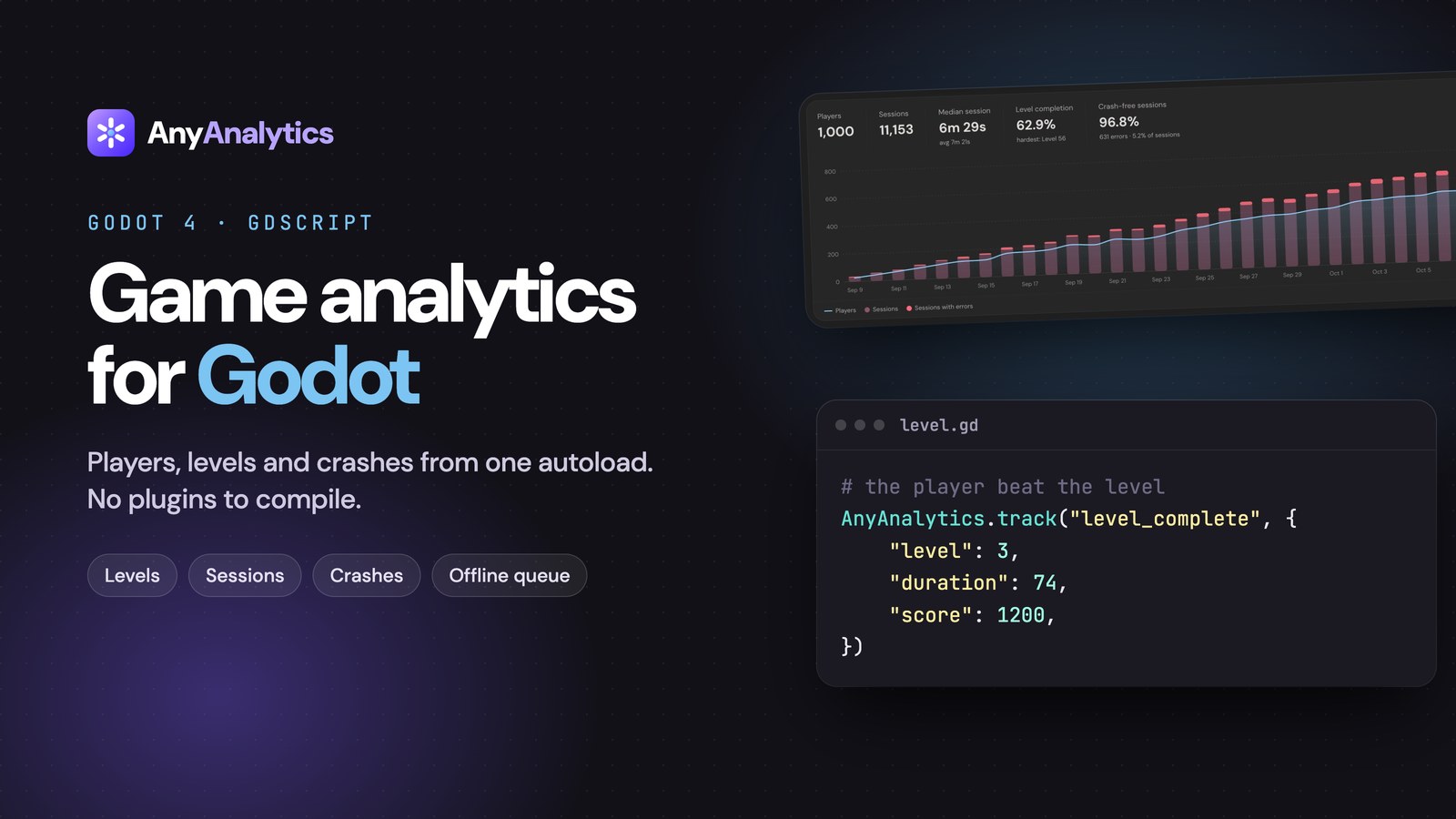
Which level loses players after your latest update? Add analytics to your Godot 4 game with one GDScript autoload, send three level events, and compare completion and fail rates by game version in AnyAnalytics. We make AnyAnalytics at Vexil.
What you need: Godot 4 and a free AnyAnalytics project. Install the autoload, verify your first event, then add level tracking. The optional Logger error example requires Godot 4.5 or newer. No native plugin or chart setup required.
What you'll have at the end#
- A session per launch, with platform, game version, OS, device and locale attached automatically.
- Level starts, wins and fails powering a Game report: completion and fail rates per level, the hardest level, and median time to beat each one.
- Optional reporting of logged script and engine errors, grouped by version.
- Players followed across devices once they sign in.
- A bounded offline queue and event IDs that prevent the same retried event from being counted twice.
You need Godot 4 and an AnyAnalytics project. The free plan doesn't need a card.
Step 1: Get the script from your dashboard#
The whole SDK is a single GDScript file, and the dashboard hands it to you with your key already filled in:
- Sign up for AnyAnalytics (free plan, no card).
- Click Add site, choose Game as what you're tracking, and Godot as how you'll send events.
- You land on the Setup page. Make sure the Godot tab is selected, then click Copy on
any_analytics.gd.
Lost the page? Open your project and click Setup in the sidebar at any time. Your key is also under Keys & API.
You can also read the script before signing up: it's on the Godot docs page. If you copy it from there, replace vxw_YOUR_WRITE_KEY with your own key.
The key starts with vxw_ and can only send events, never read them, so it's safe to ship inside your exported game.
Step 2: Add the autoload#
- In Godot, create
res://any_analytics.gdand paste the script into it. - Open Project → Project Settings → Globals → Autoload, pick the file and name it AnyAnalytics.
- Run the game.
That's it. A $session_start event is sent on startup and shows up in Live events within about 10 seconds. Because it's an autoload, AnyAnalytics is available from every script in your project.
The script takes care of the boring-but-hard parts:
| Problem | What the autoload does |
|---|---|
| Player is offline | Unsent events are buffered locally, saved periodically under user://, and retried later |
| Network error or a busy server | Retries with backoff |
| A batch is sent twice after a blip | Every event has its own id, so it's counted once |
| You track a lot of events at once | They're batched: sent every 10 seconds, once 20 are queued, and when the game is paused or closed |
Offline limits: the public script keeps up to 1,000 queued events and drops the oldest beyond that. Saves happen periodically and on pause or close notifications; a sudden termination can lose events not yet saved. Test your target export, including web storage and network behavior.
Step 3: Verify your first accepted event#
Open Live events and run your game. Allow about 10 seconds for the first batch, then check for an accepted $session_start. Rejected events include a reason. After adding level tracking, verify the names and properties too: a custom name such as levle_start can be accepted without powering the Game report.
Step 4: Track your first custom event#
AnyAnalytics.track("item_crafted", {"item": "fire_sword", "rarity": "epic"})
Properties are a plain Dictionary of strings, numbers, booleans, arrays and nested dictionaries. Two habits will keep your reports tidy:
- Past tense, snake_case for custom events:
item_crafted,boss_defeated,shop_opened. Keep the built-in level names below exactly as documented. - Generic names with details in properties. Send
level_completewith{"level": 7}, neverlevel_7_complete.
Step 5: Track levels for the Game report#
Three event names power the Game report: level_start, level_complete and level_fail, each with a level. Here's a drop-in level script that times each attempt:
# level.gd
extends Node

@export var level := 1
var _started_at := 0.0
var _attempt_active := false


func _ready() -> void:
	begin_attempt()


func begin_attempt() -> void:
	if _attempt_active:
		return
	_started_at = Time.get_ticks_msec() / 1000.0
	_attempt_active = true
	AnyAnalytics.track("level_start", {"level": level})


func win(score: int) -> void:
	if not _attempt_active:
		return
	_attempt_active = false
	AnyAnalytics.track("level_complete", {"level": level, "duration": _elapsed(), "score": score})


func lose(reason: String) -> void:
	if not _attempt_active:
		return
	_attempt_active = false
	# "died", "timeout", "quit": keep a short, fixed list
	AnyAnalytics.track("level_fail", {"level": level, "duration": _elapsed(), "reason": reason})


func _elapsed() -> float:
	return Time.get_ticks_msec() / 1000.0 - _started_at
Call win() from your goal and lose() from your death or timer logic. After resetting the level for an in-scene retry, call begin_attempt() to send a fresh start and reset the timer. The guard records at most one result per attempt. Use the same level on the start and the end of an attempt. It can be a number or a name like "boss".
Once a few players have been through, the Game report fills itself in:
Explore the Game demo to try the report before adding it to your own game.
And each level gets its own row, so a wall stands out right away:
Our guide to finding the level where players quit explains how to read this table and what to fix.
Optional: Report logged errors (Godot 4.5+)#
Godot 4.5 added the Logger class for receiving logged engine and script errors. Forward them as non-fatal $exception events. Logger callbacks may run on multiple threads, so defer both counting and tracking to the main thread:
# error_reporter.gd
extends Logger

var _seen := {}


func _log_error(function: String, file: String, line: int, code: String,
		rationale: String, editor_notify: bool, error_type: int,
		script_backtraces: Array[ScriptBacktrace]) -> void:
	if error_type == ERROR_TYPE_WARNING:
		return
	var message := rationale if rationale != "" else code
	call_deferred("_report", message, error_type)


func _report(message: String, error_type: int) -> void:
	# Counting and tracking happen on the main thread.
	# Don't flood your project with an error that fires every frame.
	_seen[message] = _seen.get(message, 0) + 1
	if _seen[message] > 5:
		return
	AnyAnalytics.track("$exception", {
		"$exception_type": "ScriptError" if error_type == ERROR_TYPE_SCRIPT else "EngineError",
		"$exception_message": message,
		"fatal": false,
	})


func _log_message(message: String, error: bool) -> void:
	pass
Register it once per launch, for example at the end of the AnyAnalytics autoload's _ready(). Registering it on every scene load would create duplicate reporters:
OS.add_logger(preload("res://error_reporter.gd").new())
This forwards logged errors, not native process crashes or every fatal termination. Report fatal: true only when you detect a fatal condition while the process can still send or save an event. Errors are grouped by type and message and broken down by game version:
On an older Godot 4 version, report the errors you catch yourself with the same event, for example when a save file fails to load.
Optional: Identify players who sign in#
Each install gets a random player id, saved under user://. When a player signs in (Steam, your own backend, anything with a stable id), switch to your own id:
AnyAnalytics.identify(player_id, {"name": player_name, "platform": "steam"})
Their anonymous history is merged into the same player, and the id is remembered across launches. Someone who plays on a desktop and a Steam Deck becomes one player, not two.
Tips for Godot developers#
- Set your version. The autoload reads Project Settings → Application → Config → Version. Bump it with every export so you can compare builds in the Game report.
- Test each export you ship. The SDK uses Godot's HTTP and storage APIs. Check event delivery, offline persistence and lifecycle behavior on your target platforms, especially web and mobile exports.
- Track screens and menus too. A
menu_openedorshop_openedevent shows whether players find your features. - Keep secrets out of properties. Player ids are fine; emails and real names only if you need them.
For the full list of events worth sending (economy, rewarded ads, purchases), see 8 events every mobile game should track. They work the same way in Godot.
What are your options for Godot analytics?#
For comparison, here's the landscape as of October 2026:
| Option | Godot support | Good to know |
|---|---|---|
| Build your own | HTTPRequest + your own server | Full control, but you build the server, storage, dashboard and offline queue yourself |
| GameAnalytics | Lists a Godot SDK | Game-focused, with a free plan |
| PostHog | No Godot library listed | You'd send events through its HTTP API yourself |
| AnyAnalytics | One GDScript autoload | Hosted, with a ready-made Game report for levels, sessions and crashes |
Building your own gives you control, but also means maintaining retries, offline storage, deduplication, a database and a dashboard. (For a deeper look at the hosted tools, see GameAnalytics vs PostHog vs AnyAnalytics.)
FAQ#
Does analytics slow down my Godot game?#
The autoload batches network requests every 10 seconds or once 20 events are queued. Event creation and periodic queue saves still have a cost. Avoid per-frame events and profile on your target devices.
Does it work in Godot 3?#
No, the autoload is written for Godot 4. Error reporting through Logger needs Godot 4.5 or newer; everything else works on any Godot 4 version. On Godot 3 you can still send events with one POST to the HTTP API.
Does it work with C# in Godot?#
The autoload is GDScript, but it's a normal autoload, so C# scripts can reach it through the scene tree (GetNode("/root/AnyAnalytics").Call("track", ...)). You can also send events straight to the HTTP API.
Does it work offline?#
Yes. The script saves its bounded queue periodically and retries undelivered events later, retaining their original timestamps. It keeps up to 1,000 queued events; sudden termination before a save can lose recent events.
What does it cost?#
There's a free plan for up to 2,000 monthly players and 1 game or app, plus a 14-day trial of Max with no card. Paid plans start at $9 a month for up to 5,000 monthly active players, billed per player, not per event. See the pricing.
Ship your Godot game with your eyes open#
Start free with AnyAnalytics, add the autoload, and verify your first event. Send the level events to populate the Game report, then compare completion and fail rates once you have enough attempts. Read the Godot docs for the full implementation.